
Time Blocking: How to Plan Your Day (With Examples)
Time blocking explained: how to plan your day in blocks, how long blocks should be, example schedules, and how to keep blocks when plans slip.
Time blocking means planning your day as a series of blocks, each with one task or type of work, instead of working from an open to-do list. The calendar stops being only for meetings and starts showing when you’ll actually do your work.
It’s one of the simplest ways to reduce procrastination and make room for habits, because every important task gets a time. This guide covers how to time block, example schedules, how long blocks should be, and how to keep the system going when the day doesn’t go to plan.
Why time blocking works
- It turns intentions into appointments. “Write the report” becomes “Tuesday 9:00–10:00: write report section 1.” Plans that specify when and where are much more likely to happen; that’s the idea of implementation intentions.
- It forces trade-offs. A day only has so many hours. Blocking shows what fits and what doesn’t.
- It protects focus. A block for one task makes it easier to say no to everything else for that time.
- It removes decisions. You don’t decide what to do next; the calendar already did.
How to time block your day
Step 1: List what matters this week
Write down the tasks and habits that matter: projects, deep work, exercise, admin, learning. Don’t plan everything; plan what you’d regret not doing.
Step 2: Block the fixed points first
Add meetings, appointments, commute, meals and pick-ups. These are the edges of your day.
Step 3: Put your most important work in your best hours
Most people have hours when focus is easier, often in the morning. Put demanding work there, as one or two deep work blocks.
Step 4: Batch shallow work
Group email, messages and small admin into one or two blocks a day, instead of handling them all day long. Our inbox zero guide shows how to process email in one pass.
Step 5: Add habits as blocks
Habits that “should happen sometime” usually don’t. Give them blocks: “7:00–7:30 run,” “21:30–22:00 read.”
Step 6: Leave buffers
Leave gaps between blocks and one open block in the afternoon for things that run over or come up. A plan with no slack breaks at the first surprise.
How long should time blocks be?
| Block length | Good for |
|---|---|
| 15–25 minutes | Dreaded tasks, admin, low-energy days |
| 30 minutes | Most single tasks and habits; easy to plan with |
| 60–90 minutes | Deep work once you’re used to focusing |
| Half-day | Rare; projects that need long uninterrupted time |
Thirty minutes is a good default if you’re new to it. It’s short enough to start and long enough to finish something visible. If you have ADHD, see time blindness strategies for why short blocks often work better.
Time blocking examples
A focused workday
| Time | Block |
|---|---|
| 8:30–9:00 | Plan the day, quick email check |
| 9:00–10:30 | Deep work: project draft |
| 10:30–10:45 | Break |
| 10:45–11:30 | Meetings |
| 11:30–12:00 | Email and messages |
| 12:00–13:00 | Lunch and a walk |
| 13:00–14:00 | Deep work: analysis |
| 14:00–15:30 | Meetings or collaborative work |
| 15:30–16:00 | Buffer |
| 16:00–16:30 | Admin, tomorrow’s plan |
A day built around habits
| Time | Block |
|---|---|
| 7:00–7:30 | Exercise |
| 7:30–8:30 | Shower, breakfast, commute |
| 12:30–13:00 | Walk after lunch |
| 18:30–19:00 | Language practice |
| 21:30–22:00 | Read |
Common time blocking mistakes
If you always end up doing smaller tasks instead of the big block, structured procrastination explains how to make that work for you, and when it doesn’t.
- Planning every minute. Leave buffers. Overfull plans fail by 11 AM.
- Underestimating tasks. Use real numbers from past days; add time to anything new.
- Blocking but not starting. A block on a calendar doesn’t make you start. Give it a clear first step, or start it alongside someone else.
- Abandoning the plan after one slip. If a block is missed, move to the next one. Don’t rewrite the whole day.
- Blocking only work. Rest, meals and exercise need time too, or they’ll be taken.
How to keep your blocks
The hardest part of time blocking isn’t planning. It’s starting the block when the time comes.
- Write the first action in the calendar event: “Open slides, fix slide 3.”
- Use an alert five minutes before.
- Remove distractions before the block starts: phone away, tabs closed.
- Start with someone else. A block that others start at the same time is much harder to skip.
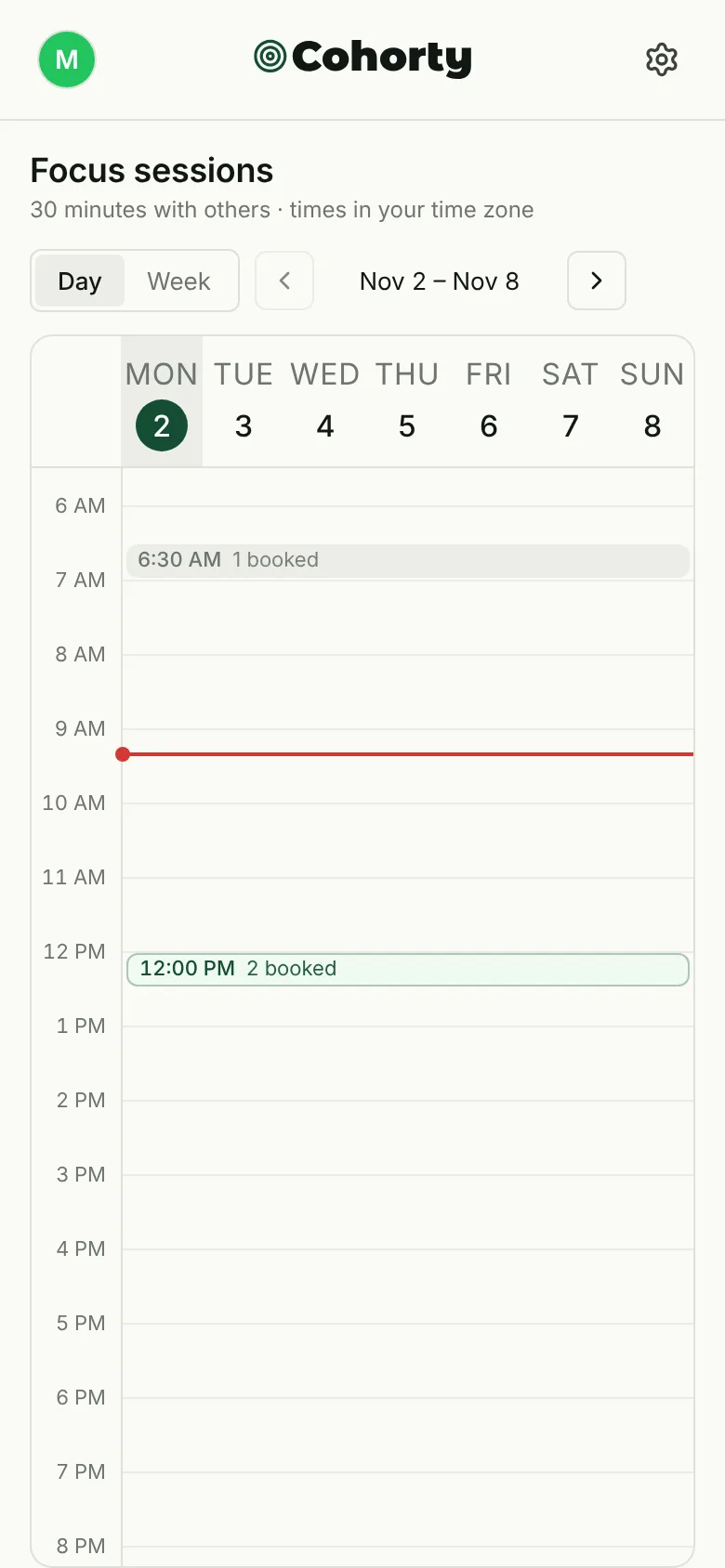
Disclosure: Cohorty publishes this journal. Cohorty’s calendar works like shared time blocks: you book 30-minute sessions, write one line about the task, and start alongside whoever booked the same time, with no camera or chat. See how to use Cohorty, or ADHD-friendly focus sessions for planning a day of small blocks.
Time blocking vs other methods
- To-do lists say what to do; time blocking says when. Many people use both: a list for the week, blocks for the day.
- Pomodoro is about working in short intervals inside a block. It combines well with time blocking.
- Task batching groups similar small tasks into one block, a technique that sits inside time blocking.
Common questions
What is time blocking?
A way of planning your day by assigning specific blocks of time to specific tasks or types of work, instead of working from a to-do list alone.
How do I start time blocking?
Block fixed commitments first, then put your most important task in your best hours, batch small tasks, add habits as blocks and leave buffers.
What if I don’t stick to my time blocks?
Make blocks shorter, give each a clear first step, and start them alongside someone else. When you miss one, move to the next block rather than replanning the day.
Is time blocking good for ADHD?
It can be, with short blocks, visible timers, buffers and other people to start with. See Pomodoro for ADHD.