Virtual Body Doubling: How to Do It Online, Even Camera-Free
How virtual body doubling works, the main online formats (1:1 video, hosted groups, camera-free sessions), and how to run your first session.
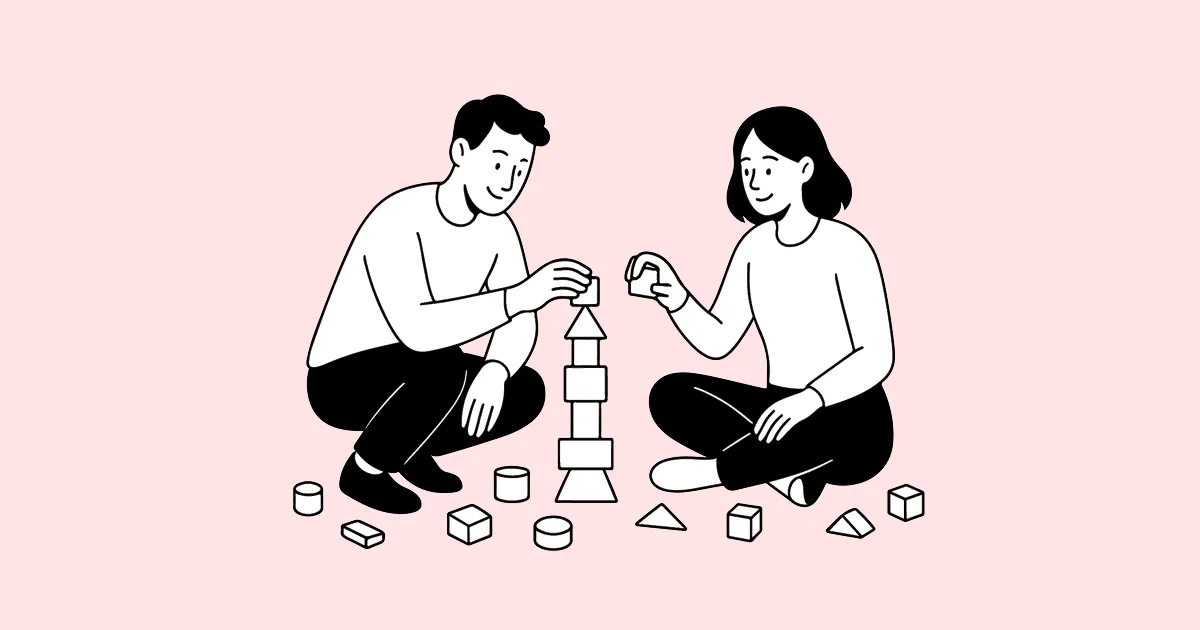
Virtual body doubling means doing a task while another person is present online, doing their own task. Nobody teaches you, checks your work, or chats with you. The other person’s presence is the support: it makes starting feel less optional and staying with the task a little easier.
It began as an informal strategy, often shared among people with ADHD, and has turned into a whole category of tools: one-to-one video sessions, hosted group rooms, livestreams, Discord servers, and camera-free sessions. This guide explains how it works, compares the formats, and walks you through a first session.
If you want the ADHD-specific angle and a closer look at the early research, read our guide to body doubling for ADHD. If you already know you want a tool, jump to our comparison of Focusmate alternatives.
What virtual body doubling is (and is not)
A body double provides presence while the work happens. That distinguishes it from other kinds of support:
| Arrangement | What you are asking for | Example |
|---|---|---|
| Body doubling | ”Be here while I do my task.” | Two people write separate reports on a quiet call |
| Accountability check-in | ”Ask me later whether I did it.” | A weekly message to an accountability partner |
| Coworking | ”Share a space while we each work.” | A coworking office or library table |
| Coaching or tutoring | ”Help me with the task.” | A study tutor or productivity coach |
Virtual body doubling borrows from all of them but asks for the least: a shared start time, a short statement of intent, and quiet work. That is why it suits tasks you already know how to do but keep postponing: admin, studying, writing, practicing an instrument, or a workout at home.
Why working alongside someone can help
There is no large trial showing that virtual body doubling improves productivity by a particular amount, and you should be wary of anyone quoting one. A 2024 survey of 220 people describes how people use it and why they find it useful, which is helpful context but not proof of effect.
What we do know comes from adjacent, better-studied ideas:
- A fixed start time works like a plan. Deciding when and where you will act, known as an implementation intention, is one of the better-supported strategies for following through on goals. Gollwitzer and Sheeran’s 2006 meta-analysis found a medium-to-large average effect across 94 studies. A booked session turns “I’ll study later” into “I’ll study at 7:00.”
- Other people change how we act. Research on social facilitation, summarized in Bond and Titus’s 1983 meta-analysis, found that the presence of others tends to speed up simple, well-practiced tasks, while it can slightly hinder complex, unfamiliar ones. That matches what many people report: body doubling helps most with tasks that are boring rather than hard.
- Starting is the bottleneck. For many habits, the problem is not knowing what to do but beginning. A session lowers the cost of beginning: the time is decided, the room is open, and the first step is writing one sentence. The 2-Minute Rule works on the same principle.
The practical conclusion is modest: virtual body doubling is a low-cost way to give a task a time and some company. Try it for two weeks and judge it by what you actually finish.
The five online formats
Most tools fall into one of five formats. They differ in how visible you are, how much structure you get, and whether you need to schedule.
1. One-to-one video sessions
You book a slot and are matched with one partner. You both say what you will work on, work with cameras on, and report back at the end. Focusmate is the best-known example.
- Good for: strong accountability; a specific person expects you.
- Watch for: being on camera with a stranger is uncomfortable for some people; no-shows happen.
2. Hosted group sessions
A host or facilitator opens the session, invites goals, keeps time, and closes with a short share. Examples include Flow Club and Caveday.
- Good for: structure, rituals, and a sense of community.
- Watch for: monthly memberships cost more; sessions often run on video calls.
3. Camera-free scheduled sessions
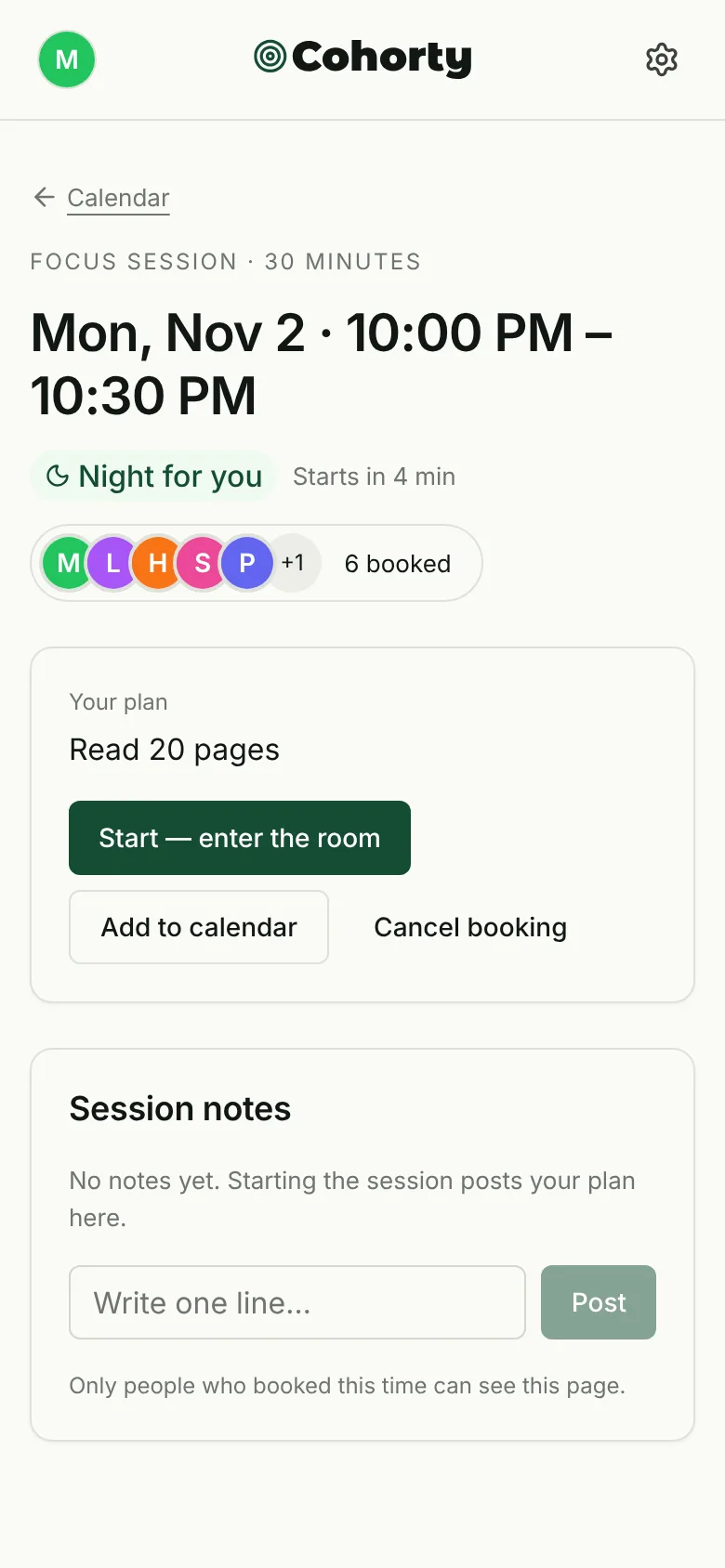
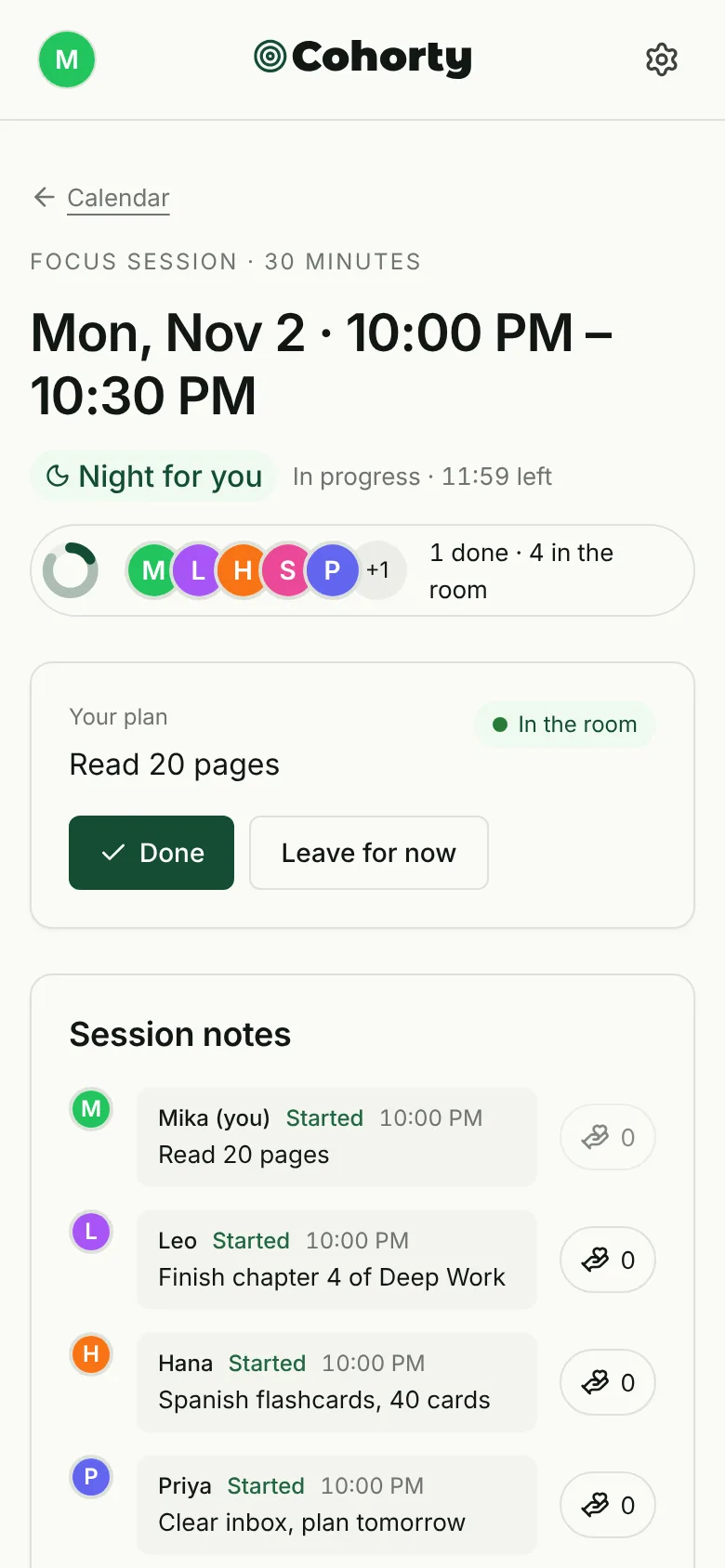
You book a fixed time, write what you will do, and work in a shared room where you can see who is there and what they are working on, but there is no video or chat. Cohorty works this way; how a Cohorty session works shows each step with screenshots.
- Good for: introverts, people who dislike being on camera, working from a phone, or tasks away from a desk.
- Watch for: lighter social pressure than a video call; it relies more on the booked time than on being watched.
4. Drop-in study rooms and Discord servers
 discord.com and dedicated study-room apps
Always-open rooms where you join whenever you like, often with optional camera. StudyStream and many Discord study servers fall here.
- Good for: no scheduling; free.
- Watch for: no fixed start time, so it does less to get you started; rooms can be noisy.
5. “Study with me” and “work with me” videos
 Search "study with me" on YouTube
Pre-recorded or live-streamed videos of someone working, often with a timer on screen.
- Good for: zero setup; useful as ambient company.
- Watch for: nobody notices whether you show up, and the video itself can become a distraction. See 5 ways to study with others online for how to get more from them.
| Format | Camera | Fixed start time | Someone notices you | Typical cost |
|---|---|---|---|---|
| 1:1 video | Usually on | Yes | Yes, one partner | Free tier or subscription |
| Hosted group | Encouraged | Yes | Yes, host and group | Membership |
| Camera-free sessions | No | Yes | Yes, the room | Free to join (Cohorty) |
| Drop-in rooms / Discord | Optional | No | Rarely | Usually free |
| Study-with-me videos | No | No | No | Free |
How to choose a format
Answer three questions:
- What stops you: starting, or staying? If starting is the problem, choose a format with a fixed start time (1:1, hosted, or camera-free sessions). If you start fine but drift, a drop-in room or video may be enough.
- How do you feel about a camera? If being seen on video makes you avoid sessions, a camera-free format will get used more, and the format you use beats the format that is theoretically stronger.
- How often do you need it? For daily habits, free tiers and session limits matter. Check how many sessions a free plan includes before building a routine around it.
For a tool-by-tool comparison, including pricing and camera rules, see Focusmate alternatives compared.
How to run your first session
The structure below works in almost any tool, and with a friend on a plain video call.
Before the session (2 minutes)
- Pick one task that fits in the session. “Draft the introduction” works; “finish the thesis” does not.
- Gather what you need: open the document, fill the water bottle, put the phone out of reach.
- Write your intent in one sentence. Make it observable: “Reply to the three emails flagged yesterday.”
At the start (1 minute)
- State or type the sentence. If the tool has no place for it, write it on paper.
- Start immediately with the smallest next action: open the file, write the first line.
During the session
- Stay with the task. If a new idea appears, jot it on a “later” list rather than switching.
- If you get stuck, shrink the task rather than leaving: “write one bad sentence.”
At the end (1 minute)
- Note what you finished in one line, even if it was less than planned.
- Book the next session now, ideally at the same time tomorrow. Repeating the same time is what turns a session into a habit.
Etiquette for online body doubling
- Arrive on time. Late arrivals break the shared start, which is half the value.
- Keep the intent short. One sentence, not a status report.
- No unsolicited advice. A body double is present, not a coach.
- Respect privacy. Do not record or screenshot other people. Use a nickname if the tool allows it.
- Leave quietly if you must. A short note (“have to go, good luck”) is enough.
Common problems and fixes
| Problem | Try this |
|---|---|
| ”I book sessions and then skip them.” | Book shorter sessions at a time you are already at home and free. Put the booking in your calendar with an alert. |
| ”Being on camera makes me anxious.” | Switch to a camera-free format. Visibility is not the active ingredient for everyone. |
| ”I chat instead of working.” | Choose formats without chat, or agree on a silent session with a friend. |
| ”I finish the session but not the task.” | Your task was too big. Define the next visible step instead of the whole project. |
| ”It helped for a week, then stopped.” | Change one variable: time of day, session length, or format. Review weekly, as you would with any habit. |
Who virtual body doubling suits
- People with ADHD who find initiation harder than effort. See body doubling for ADHD and why silent group support can work.
- Introverts who want company without conversation; see group accountability without small talk.
- Students with self-directed study time; see our study buddy app comparison.
- Remote workers whose day lacks the cues of an office; see working from home with ADHD.
- Anyone building a habit that needs a protected half hour: reading, writing, practice, or a home workout.
It suits less well when the task needs deep, novel problem-solving that benefits from total solitude, or when any outside presence feels like surveillance to you. In that case, a time-blocked solo session may work better.
Frequently asked questions
Is virtual body doubling free?
Often, yes. Drop-in rooms, Discord servers, and study-with-me videos are free. Focusmate has a free plan with a weekly session limit, and joining Cohorty sessions is free. Hosted group programs usually charge a membership.
Do I need to keep my camera on?
It depends on the tool. One-to-one video tools generally expect cameras on; hosted groups usually encourage it; camera-free tools have no video at all. Choose based on whether a camera helps or stops you.
How long should a session be?
Twenty-five to fifty minutes is a common range. Start with 30 minutes: long enough to make progress, short enough to fit on a busy day.
Can I body double with a friend instead of an app?
Yes. Agree on a start time, a quiet video or voice call, a one-sentence intent each, and an end time. Apps mainly solve the scheduling and the “who is free right now” problem.
Is body doubling the same as coworking?
They overlap. Coworking usually means sharing a workspace for a whole day; body doubling is a shorter, more deliberate session built around one task and a shared start.